▶ PRESS START

AGENT CAMPUS

Your Claude Code agents, working in a pixel office.

An open-source mission-control desktop app. Every project is an office on one campus map; every agent is a character you can watch think, code, and ask for permission.

⬇ DOWNLOAD ★ GITHUB

macOS · Linux · Windows — free & MIT licensed

Nothing else to install: Claude Code ships inside the app. Bring a Claude subscription or an API key, and the first run walks you through signing in.

macOS: the app isn't signed yet — after installing, allow it in System Settings → Privacy & Security → "Open Anyway".

ONE DAY WITH A TEAM OF AGENTS

Real Claude Code sessions — same login, same config, same transcripts. Start in the app, resume in your terminal, or vice versa.

--:--

You have six terminals open.

One of them is waiting on you and you don't know which. One finished ten minutes ago. One has been stuck on a permission prompt since you went to get coffee. You alt-tab through all six to find out.

Open Agent Campus and the same day looks like this.

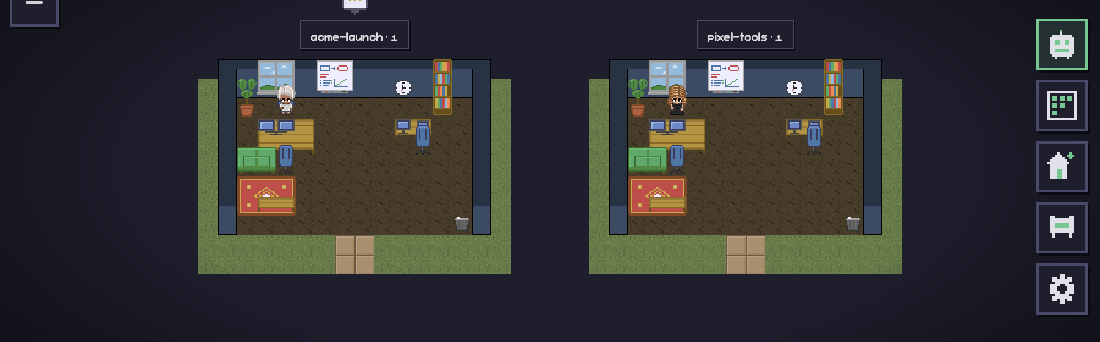
Every project gets an office.

Your folders become rooms on one map. Who is working, who is stuck, and what each project has cost today — all of it readable without opening anything.

Two offices side by side on the campus map, each labelled with its project and agent count.

You hire someone.

Click an office, click + Agent, and a character walks in and sits down at a free desk. Behind the sprite it is an ordinary Claude Code session: your login, your config, a transcript you can pick up in a terminal later.

You hand over the backlog.

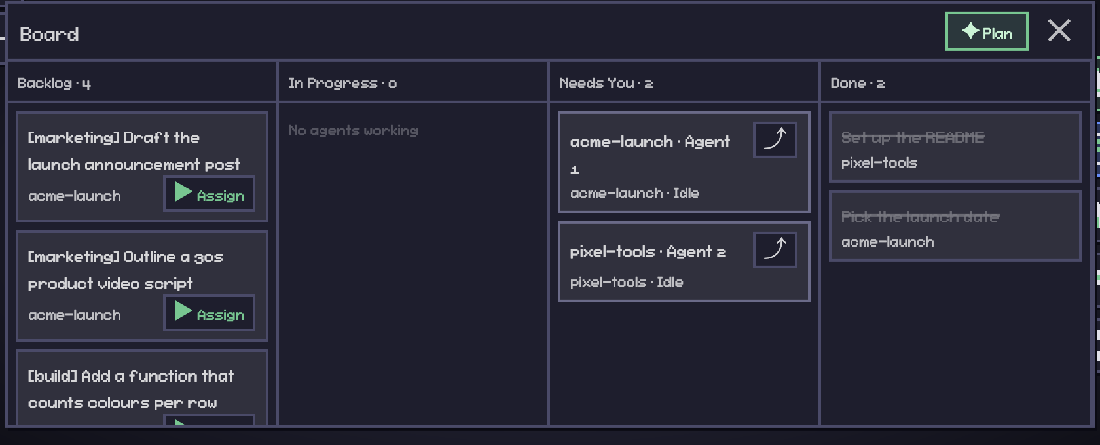
One board across every office. Press Assign on a task and an agent spawns to do it — and if the task is tagged [qa] or [marketing], it spawns with that charter, that tool policy and that character skin.

The board: a Backlog column with tagged tasks and Assign buttons, a Needs You column, and a Done column.

It asks before it touches anything.

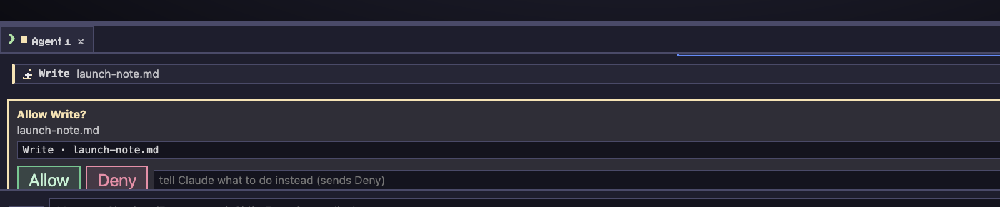
An amber bubble appears over their head and the request lands in the chat with Allow and Deny. The review roles cannot edit at all — ask for a security pass and you get a verdict, not a silent fix.

A permission request in the chat panel: Allow Write? launch-note.md, with Allow and Deny buttons.

You see exactly what it cost.

Not an estimate — the number the SDK reports, per turn, per day and per project, sitting on each office label.

acme-launch — draft the launch note$0.3639 · 139.8s
pixel-tools — count colours per row$0.1204 · 42.1s
today, across 2 offices$0.48

They work while you're asleep.

Schedules run daily, weekly, or every few minutes, and they fire with the window closed. Whatever was missed while the app was off is offered to you in the morning, to run or to skip.

And then you make the place yours.

BUILD THE OFFICE

A real pixel editor. Paint floors and walls in any colour, place and rotate 120+ pieces, grow the floor plan a tile at a time.

EARN THE REST

Some furniture can't be bought, only unlocked: a trophy case, a disco ball, a golden duck. Never for spending money.

SELF-PORTRAIT

THE ART WAS DRAWN BY AGENTS

Every sprite on this page was drawn by Claude agents — authored as pixel arrays in TypeScript, rendered to a contact sheet, screenshotted, and self-critiqued in a loop until it looked right. The office they drew is the office they work in.

contact-sheet.png — actual output of the agents' sprite pipeline. Not a mockup.

GAMEPLAY

SEE IT RUN

campus → office → assign task → agent works → task checks itself off REC ●

PLAYER 1

ABOUT THE MAKER

Mateo — pixel avatar

MATEOVALLE

Software engineer from Argentina building AI products, developer tools, and startups. I love turning complex problems into simple software and sharing the journey in public. Agent Campus started as a simple question: if my agents work all day, shouldn't they at least have an office?